
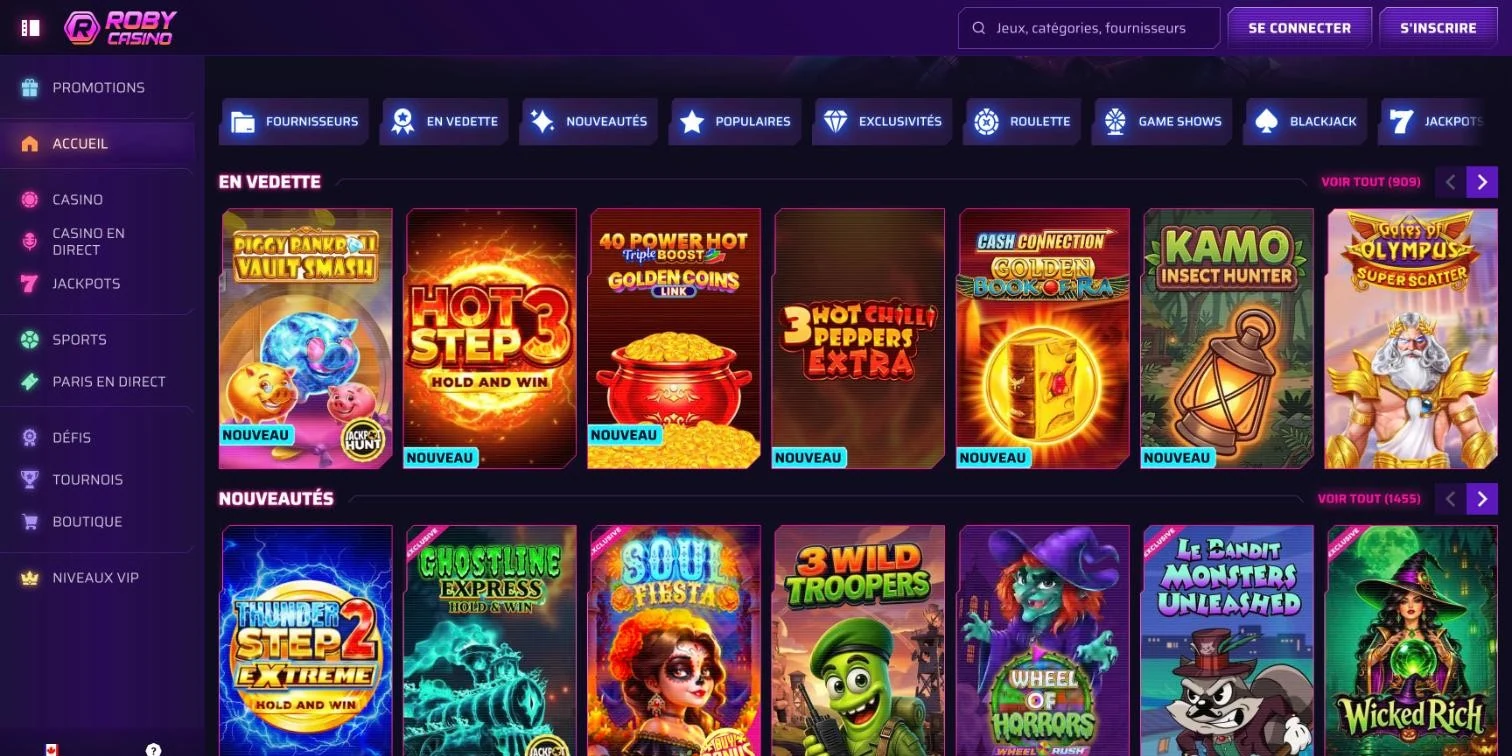
Robycasino does not offer a native app: the mobile site opens in your browser and can be added to your home screen like an app icon. Same account, same interface, on all your devices.
Mobile site and shortcut: our format
We have opted for browser access. No app is available on Google Play or the App Store, and no APK file is offered. Our "Create a shortcut" guide explains how to place the site icon on the home screen of an Android smartphone or an iPhone.
Why a shortcut rather than an app
The shortcut opens the site directly: nothing to install from an app store. Site updates apply as soon as you open it, with no manual updating.
- No download from an app store.
- No updates to install.
- One account for desktop, tablet and smartphone.
- Direct access from the home screen.
Features available on mobile
The mobile version mirrors the desktop version. Every section of the main menu is there: Casino, Live Casino, Jackpots, Sports Betting, Live Betting, Challenges, Tournaments, Shop, VIP Levels, Help Centre and Promotions.
- Registration and login with e-mail and password.
- Deposits and withdrawals in euros, by card, e-wallet or cryptocurrency.
- Bonus activation in the "My Bonus" section.
- Pre-match and in-play sports betting, with Cash Out and Bet Builder.
- 24/7 live chat.
- Dark-toned interface for visual comfort during long sessions.
Mobile vs desktop: comparison
Both versions share the same account and the same interface. The differences lie mainly in how you access them.
| Criterion | Mobile (browser and shortcut) | Desktop |
|---|---|---|
| Access | Home screen icon or browser | Browser |
| Installation | None | None |
| Updates | Applied when the site opens | Applied when the site opens |
| Interface | Identical to the desktop version | Same interface |
| Account and balance | Shared | Shared |
| Support | 24/7 live chat | 24/7 live chat |
Installing the shortcut on Android
On Android, there are two options: the installation link provided by the site or the browser menu.
- Open the Robycasino site in your Android browser.
- Use the installation link on the "Create a shortcut" page, or tap the browser's three-dot menu.
- Select "Add to Home screen".
- Confirm: the icon appears on your home screen.
- Tap the icon to open the site and log in.
Installing the shortcut on iPhone and iPad
On iOS, you add it via the browser's share icon.
- Open the site in the browser on your iPhone or iPad.
- Open the share menu (square with an arrow).
- Pick "Add to Home Screen".
- Confirm.
- Launch the site from the new icon.
Device compatibility
The Roby casino mobile site works on the main operating systems, via any mobile browser.
| Device | System | Access |
|---|---|---|
| iPhone | iOS | Browser and shortcut |
| iPad | iOS | Browser and shortcut |
| Android smartphone and tablet | Android | Browser and shortcut |
| Computer | Windows | Browser |
Games available on mobile
The mobile catalogue covers the lobby's main categories. The "Demo" button remains available on casino games.
| Category | Examples |
|---|---|
| Slots | Gates of Olympus 1000, Big Bass Splash, Book of Ra Deluxe |
| Jackpots | Leprechaun's Luck, Crime King 1000 |
| Live casino | Speed Roulette, Mega Roulette, ONE Blackjack 1 |
| Game shows | Money Time, Mega Wheel |
| Sports betting | Football, tennis, basketball, esports |
Account security on mobile
The security rules are the same on all devices. Access to the games runs through a protected network that encrypts sensitive data.
- One account per person, household, phone or e-mail and IP address.
- Identity verification possible at any time, before or after a deposit or withdrawal.
- Additional checks by phone call or facial verification for certain transactions.
- Customer funds held in dedicated accounts, separate from the company's.
Updates and troubleshooting
The shortcut opens the site itself: there is no version to update. If something goes wrong, a few quick steps will sort it.
Common issues
- Icon deleted: add it again from the browser menu or the share icon.
- Shortcut not responding: open the site directly in your browser.
- Technical question: check the Technical section of the Help Centre.
- Ongoing problem: contact live chat or write to support@robycasino.com.
App FAQ
Is there a Robycasino app to download?
No. The site is used in the browser, with a home screen shortcut instead of an app.
Does the shortcut work on iPad?
Yes, adding to the home screen works on iPhone and iPad alike.
Do I need to update the shortcut?
No. It opens the site, which always displays its current version.
Can I deposit and withdraw on mobile?
Yes, the mobile cashier offers the same methods as on desktop: card, e-wallets and cryptocurrencies.
Is the account the same on mobile and desktop?
Yes, one account and one balance for all your devices.
This site is for adults only. Gambling involves financial risk: set yourself limits and take breaks.