

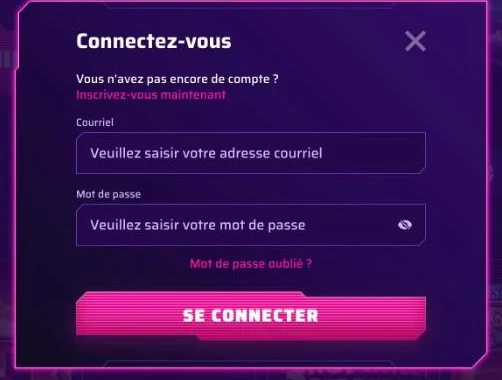
Robycasino login uses the email and password you chose at registration. Here's how to access your account, protect it and fix access problems.
Logging In on Desktop
A single set of login details gives access to the whole site: casino, live casino, sports betting, promotions and cashier. No account yet? You can create one from our Registration page.
- Open the site in your browser.
- Click the login button.
- Type the email linked to your account.
- Add your password.
- Confirm: your player area opens.
Logging In on Mobile
There's no native app: you log in from your phone's browser, whether it runs Android or iOS. The mobile version uses the desktop interface, with the same login details.
- Tap the icon added to your home screen, or open the site in the browser.
- Open the login form.
- Enter your account email, then the associated password.
- Confirm to get back to your account and balance.
To add the icon, Android's three-dot menu or iOS's share icon offers "Add to Home screen". Full details are on our App page.
Your Area Once Logged In
The player area brings together every section related to your Robycasino casino account.
- "My Bonus" to activate or cancel a bonus.
- The cashier for deposits and withdrawals in euros.
- Challenges and the Shop to track and redeem your coins.
- VIP Levels and your current status.
- The Help Centre and live chat.
Forgotten Password
Can't find your password? Customer service will help you recover it. They're reachable at any hour, every day.
- Use live chat (always open) or email support@robycasino.com from the address linked to your account.
- Provide your account email address and describe the problem.
- Follow the instructions sent by the team.
- Choose a new password that you don't use on any other site.
- Log back in with your new details.
Login Problems and Solutions
Most access issues have an identifiable cause. The table covers the most common cases.
| Problem | Possible cause | Solution |
|---|---|---|
| Password rejected | Typo or forgotten password | Check what you typed, then contact support |
| Email not recognized | Address different from the one used at registration | Use the email of the original account |
| Account closed after creating a second account | One account per person, household, phone, email or IP address | Contact support from your original account |
| Account frozen | Suspected fraud, collusion or false information | Contact support to find out the next steps |
| Account closed after an exclusion request | Self-exclusion or temporary exclusion processed | Contact support with any questions |
| Mobile icon missing | Shortcut removed from the home screen | Add it again from the browser |
| Fees on the account | 180 days without logging in | Log in regularly: beyond that, a €5 monthly fee applies |
Your Account Security
Access to the games runs through a protected network that encrypts sensitive data. Your account is personal: it can't be sold or transferred, and no money transfers between players are allowed.
Additional Security Checks
For certain high-risk transactions, we may carry out verification by phone call or facial verification. These checks protect your balance against use by a third party.
Best Practices
- Choose a unique password used only for this account.
- Never share your login details, even with someone close to you.
- Log out on a shared device.
- Use only a payment method in your own name.
- Contact support as soon as any unusual activity appears.
Managing Access to Your Account
You can request account closure through self-exclusion or a temporary exclusion at any time, by email to support@robycasino.com. The account is closed as soon as possible. An account with no login for 180 days becomes inactive and incurs an administration fee of €5 per month for as long as it stays that way; once the balance reaches zero, no further fees are charged.
Login FAQ
What login details do I use for Robycasino?
The email and password set at registration, valid on desktop, tablet and smartphone.
Can I open a second account if I can't log in anymore?
No. Only one account is allowed per person: duplicates are closed and their winnings voided. Contact support instead.
Does login work on iPhone and Android?
Yes, through the mobile browser or the shortcut added to your home screen.
What should I do if my account is frozen?
Contact live chat. A freeze may be linked to a duplicate account, suspected fraud or inaccurate information.
Can I reach support at night?
Yes: live chat never closes.
This site is for adults only. Gambling involves financial risk: set yourself limits and take breaks.